
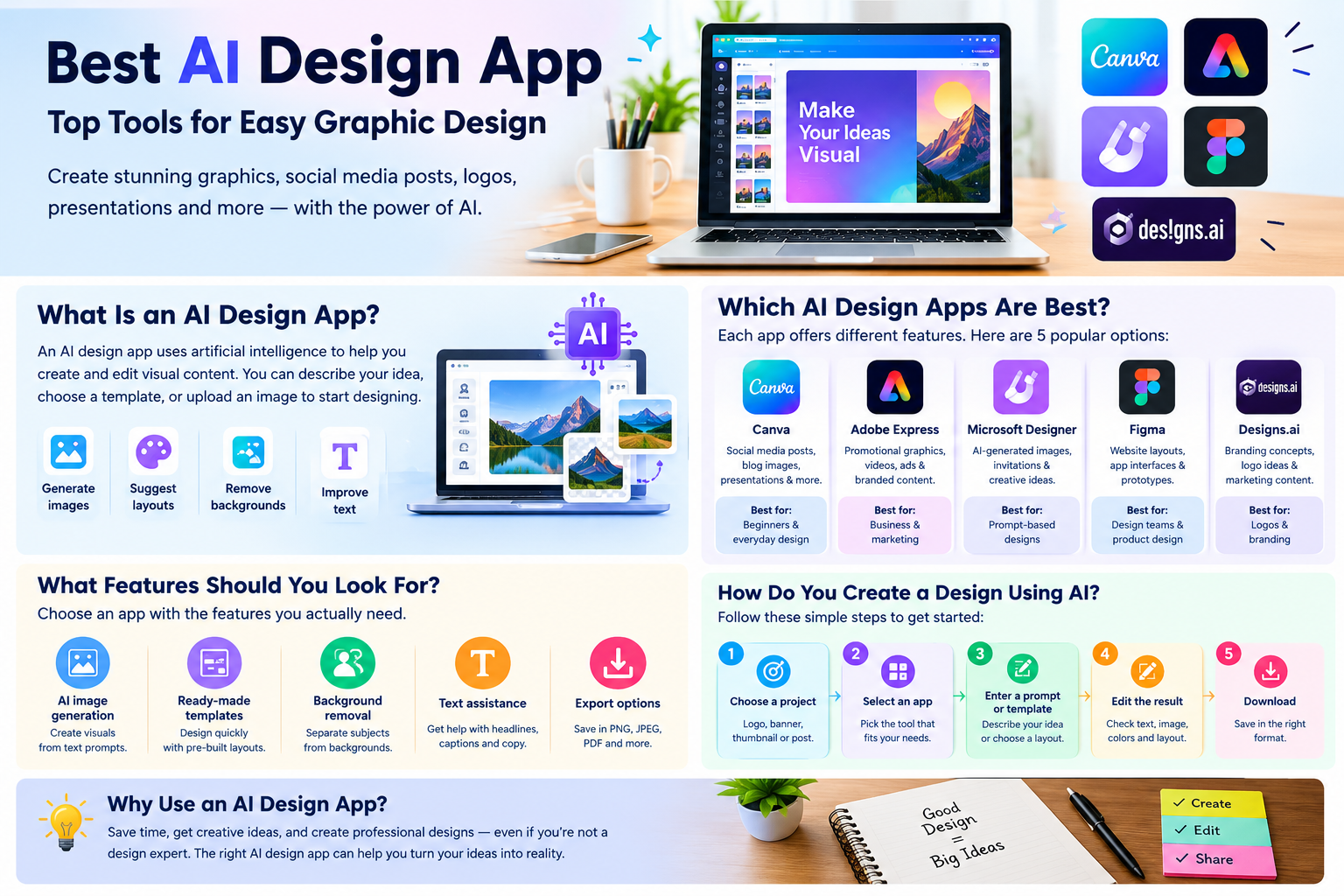
The best AI design app helps users create professional graphics, social media posts, logos, presentations, and website images with less effort. Popular options include Canva, Adobe Express, Microsoft Designer, Figma, and Designs.ai. Each tool offers different features, from AI image generation to ready-made templates and advanced editing. The right choice depends on your design needs, experience, and budget.
What Is an AI Design App?
An AI design app uses artificial intelligence to help users create and edit visual content. You can describe your idea, choose a template, or upload an image to start designing.
These apps can generate images, remove backgrounds, suggest layouts, and improve existing graphics. They are useful for bloggers, students, business owners, and social media creators who want to produce designs without advanced graphic design skills.
Which AI Design Apps Are Best?
The best app depends on the type of design you want to create. Here are five popular options and their main uses.
1. Canva
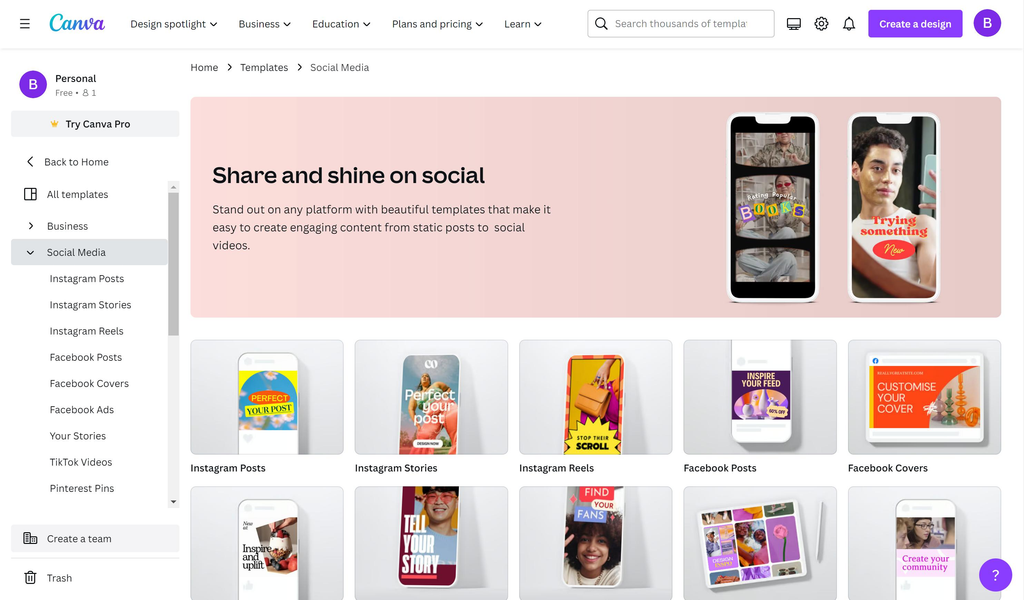
Canva is a beginner-friendly design platform for creating social media posts, blog images, presentations, posters, and YouTube thumbnails. It offers templates, drag-and-drop editing, and AI-assisted design features.
Best for: Beginners, bloggers, social media graphics, and everyday design work.
2. Adobe Express
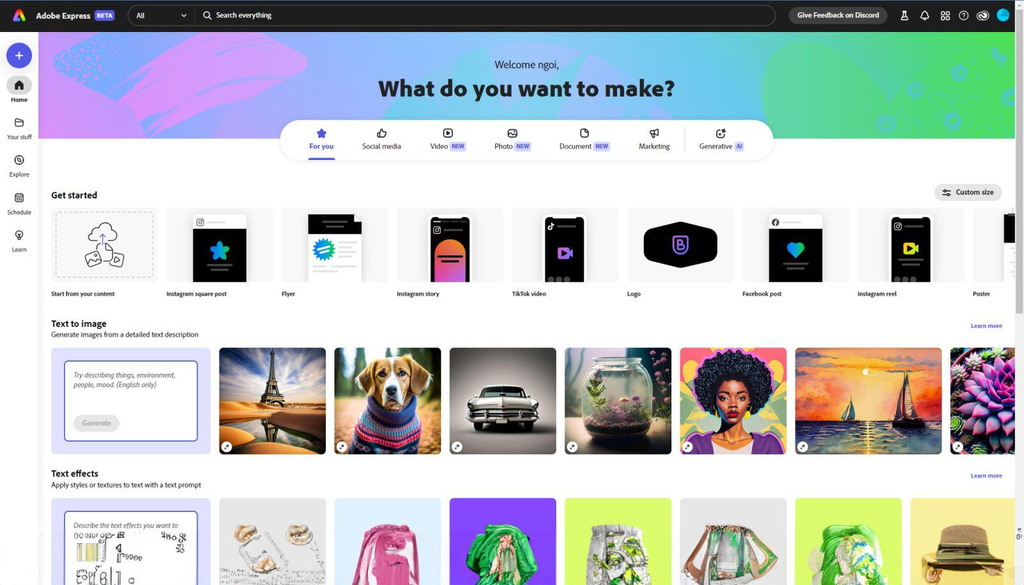
Adobe Express helps users create promotional graphics, short videos, advertisements, and branded content. Its templates and AI-powered editing tools make it useful for quick marketing designs.
Best for: Business promotions, branded graphics, and photo editing.
3. Microsoft Designer
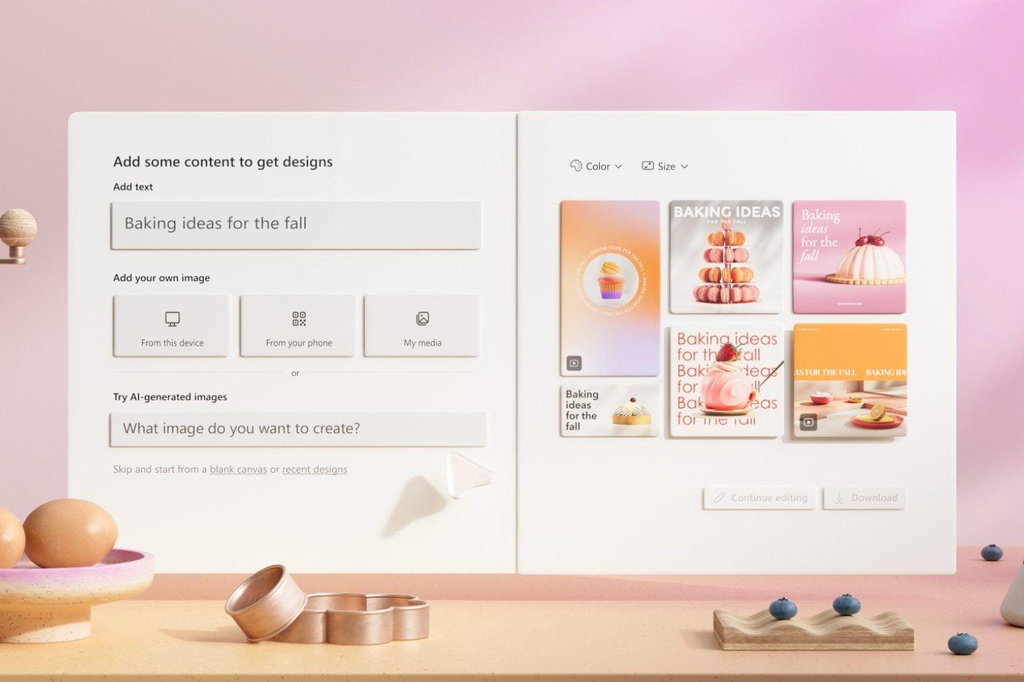
Microsoft Designer helps users create visual content from written descriptions. You can describe a design idea and use AI-generated results as a starting point for invitations, social media posts, and other graphics.
Best for: AI-generated images and quick creative ideas.
4. Figma
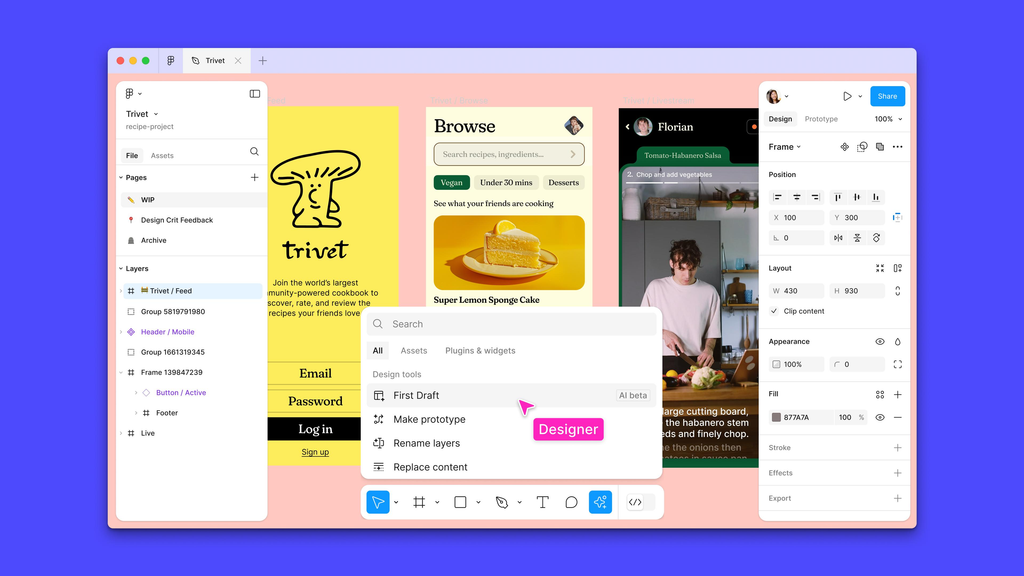
Figma is designed mainly for website layouts, mobile app interfaces, and interactive prototypes. It also supports collaboration, allowing teams to review and improve designs together.
Best for: Website design, app interfaces, and team projects.
5. Designs.ai
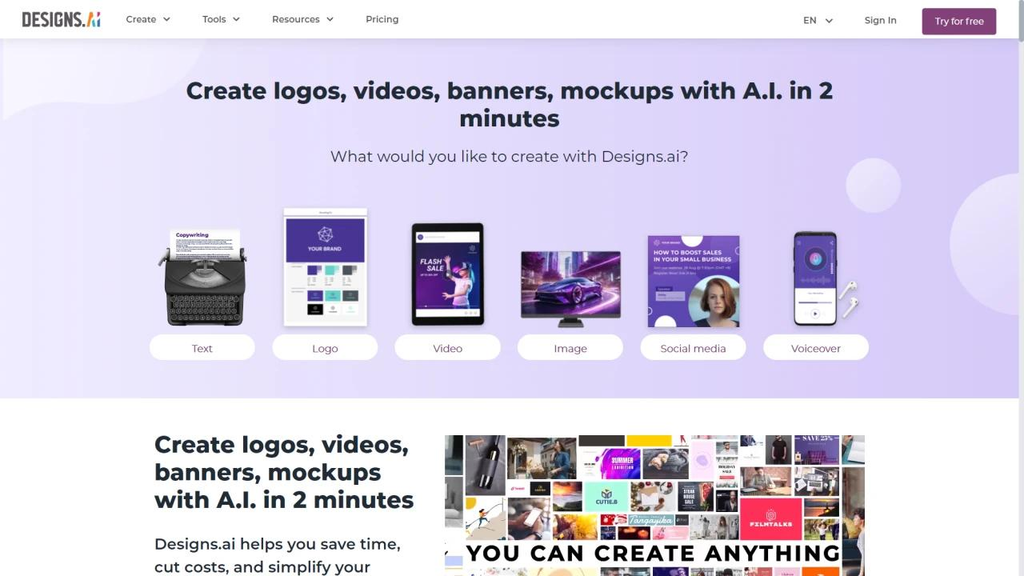
Designs.ai focuses on AI-assisted creative work, including branding concepts, logo ideas, and marketing materials. Its features can help users explore different visual styles for a business.
Best for: Branding ideas, logo concepts, and marketing content.
What Features Should You Look For?
A good AI design app should provide the features you need for your projects. Consider these important options before choosing a tool.
- AI image generation: Creates visuals from written prompts.
- Ready-made templates: Helps you design graphics quickly.
- Background removal: Separates people or products from their backgrounds.
- Text assistance: Helps create headlines, captions, and promotional copy.
- Export options: Lets you save designs in formats such as PNG, JPEG, and PDF.
Choose an app based on your actual needs rather than the number of features it advertises.
How Do You Choose the Right AI Design App?
Different projects require different tools, so consider what you plan to create.
- For blog images: Canva or Adobe Express can help create article thumbnails and website banners.
- For social media: Canva is useful for creating and adapting posts for different platforms.
- For logos: Designs.ai and Canva can help you explore branding concepts.
- For website design: Figma is suitable for layouts, prototypes, and interface design.
- For AI-generated graphics: Microsoft Designer offers prompt-based visual creation.
Always review the available features and licensing terms before using a design commercially.
How to Create a Design Using AI
Most AI design apps follow a straightforward process.
- Choose a project: Decide whether you need a logo, banner, thumbnail, or social media post.
- Select an app: Pick a tool that matches your requirements.
- Enter a prompt or choose a template: Describe your idea, preferred colors, and design style.
- Edit the result: Check the text, image quality, spacing, and colors.
- Download your design: Save it in the format required for your website or platform.
Reviewing the final design helps prevent visual mistakes and ensures the content matches your purpose.
Are AI Design Apps Free?
Many AI design apps offer free plans, but some features may require a paid subscription. Premium templates, additional AI generations, and advanced editing options may have separate limits.
Before subscribing, check the current pricing, available export formats, and commercial usage rights. A free plan may be sufficient for occasional personal designs, while frequent professional work may require more features.
What Are the Limitations of AI Design Apps?
AI design apps can save time, but their results are not always perfect. Generated images may contain visual errors, and text inside images may appear distorted or misspelled.
Some designs can also look generic without customization. Users should review their graphics, check licensing conditions, and avoid uploading confidential material without understanding the platform’s privacy policy.
AI-generated logos should also be checked for similarities to existing brands before being adopted commercially.
Conclusion
The best AI design app depends on your creative goals. Canva and Adobe Express are suitable for everyday graphics, Microsoft Designer helps generate visuals from prompts, Figma supports website and app design, and Designs.ai offers branding tools. Compare their features, pricing, and usage rights before making a choice. You can also explore AI image generators and photo editing tools to improve your design workflow.